Free Tool ROI Calculator

Best Salesforce Alternative? See Salesforce vs Workpex Compared

Finding the right Salesforce CRM alternative is essential for businesses that want strong lead management and field sales visibility without enterprise-level complexity.

This comparison explores the key differences between Salesforce and Workpex to help you choose the CRM that best fits your sales process.

Who Is This For?

Which Businesses Actually Need A Salesforce Alternative?

Salesforce is built for organizations that can dedicate a full-time admin and a real budget to configuring it. Most sales teams don't have either, and end up paying for a platform they've only half set up.

Businesses that usually start looking for a Salesforce alternative include:

  • WorkPex tick shade icon 2 Growing sales teams that need a CRM live in days, not a multi-week rollout.
  • WorkPex tick shade icon 2 Field teams in real estate, logistics, or services who need live location tracking.
  • WorkPex tick shade icon 2 Businesses running lead follow-up over WhatsApp as their main channel.
  • WorkPex tick shade icon 2 Companies with no in-house admin to build and maintain a Salesforce org.
  • WorkPex tick shade icon 2 Sales teams tired of paying for AppExchange add-ons just to get calling or WhatsApp working.

If your business needs a CRM that works from the first login rather than one you have to configure into shape, Workpex is worth putting on your shortlist.

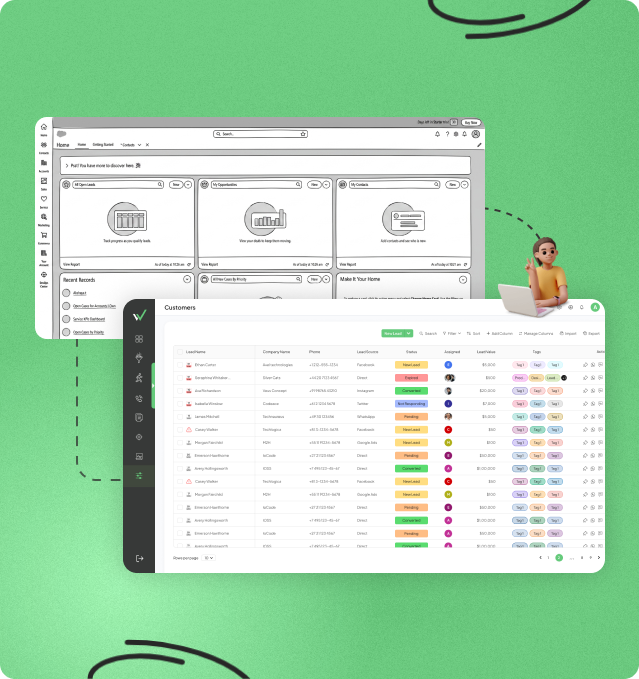
Dashboard displaying lead management and field operations tools in one platform

Salesforce vs Workpex At A Glance: Features, Pricing & Lead Management

If you're comparing Salesforce CRM alternatives, this table breaks down the real differences in setup, customization, automation, and pricing so you can see where each platform actually stands.

Category
Salesforce
Workpex
Starting Price $25/user/month (approx ₹2,090, Starter Suite plan, billed annually) ₹599/user/month
Free Trial 30-day trial, no credit card required Free demo available
Setup & Implementation Admin-led configuration; often needs a consultant or dedicated admin Ready to use with guided onboarding
Customization Depth Deep — fields, objects, and workflows fully configurable Moderate — built for speed, not deep rebuilds
Lead Management Configurable pipelines, admin-defined assignment rules Automated lead assignment + stale-lead alerts
Call Tracking & Recording Not native; recording via AppExchange add-ons Built-in on every plan
GPS / Field Staff Tracking Not available Live GPS tracking
WhatsApp Integration Via AppExchange apps (360 SMS, MessageBlink, etc.) Native WhatsApp support
Third-Party App Ecosystem Large — AppExchange marketplace Smaller, curated integrations

Should You Stick With Salesforce Or Switch To Workpex?

Stay with Salesforce if…

  • WorkPex tick shade icon 2 Your sales, service, and marketing teams all need to run off the same platform.
  • WorkPex tick shade icon 2 You already have (or can hire) someone whose job is managing the Salesforce org.
  • WorkPex tick shade icon 2 Your process is complex enough that off-the-shelf workflows won't cover it.
  • WorkPex tick shade icon 2 You depend on specific AppExchange apps that don't have a Workpex equivalent.
  • WorkPex tick shade icon 2 Rising per-user costs across tiers and add-ons isn't a dealbreaker for you.

Switch to Workpex if…

  • WorkPex tick shade icon 2 You want leads assigned and followed up on automatically, not manually configured.
  • WorkPex tick shade icon 2 Paying extra just to record sales calls doesn't sit right with you.
  • WorkPex tick shade icon 2 You need visibility into where your team is, in real time.
  • WorkPex tick shade icon 2 WhatsApp is where your leads actually respond, not an afterthought channel.
  • WorkPex tick shade icon 2 You want the CRM working the day you sign up, not after weeks of setup.

The right choice usually comes down to this: Salesforce fits teams built around configuration and scale. Workpex fits teams that need to be selling, not setting up, from week one.

Salesforce vs Workpex: Feature Comparison for Businesses Considering Alternatives

A closer look at how Salesforce and Workpex handle lead automation, calling, WhatsApp, field visibility, and pricing. These are the details that matter most to anyone weighing Salesforce alternatives once the trial period is over.

Lead Automation: Configured vs Ready-Made

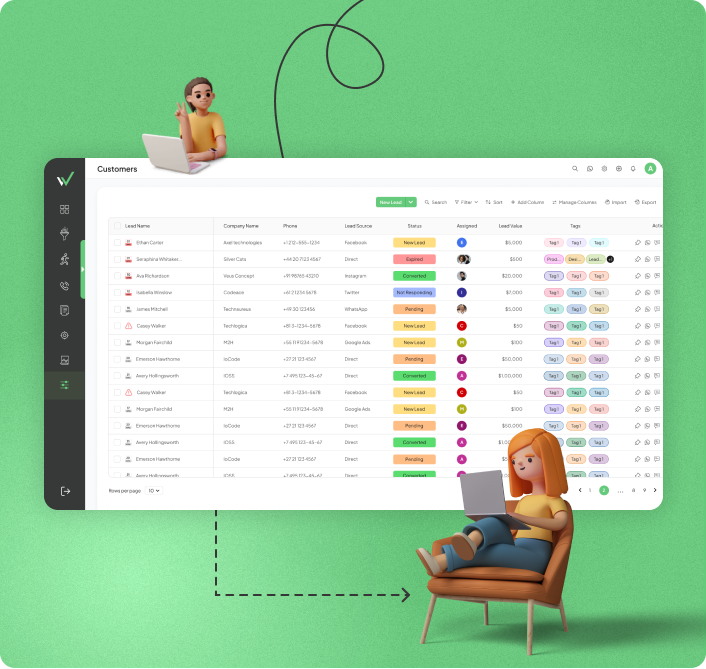
Salesforce can automate lead assignment, follow-ups, and stale-deal alerts — but none of it runs by default. An admin has to sit down and define the rules first. Until that happens, leads move through the pipeline the old-fashioned way.

Workpex assigns leads the moment they come in and flags anything that's gone quiet, without needing anyone to set that logic up first.

Most teams don't hit this wall during the demo. They hit it three weeks in, and it's usually the point where searching for Salesforce CRM alternatives stops feeling optional.

Lead management dashboard displaying leads, customers, sales pipeline, follow-up activities, and customer information in one view
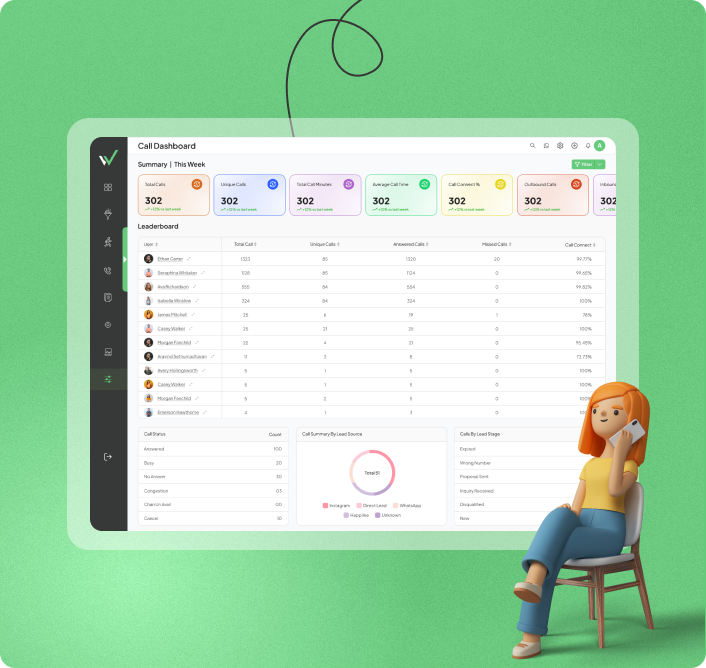
Call tracking and communication dashboard showing call logs, customer interactions, call status, and team communication activities

Call Tracking & Recording: Native vs Add-On

Salesforce's entry and mid-tier plans don't include call recording — you're looking at an AppExchange app or a connected dialer, which means a second subscription and a second thing to keep working.

Workpex just records calls. It's part of every plan, logged automatically against the right lead, no extra app involved.

If your team spends a lot of time on the phone, this is often where the "affordable" Salesforce plan quietly stops being affordable.

WhatsApp and Messaging: Third-Party App vs Built In

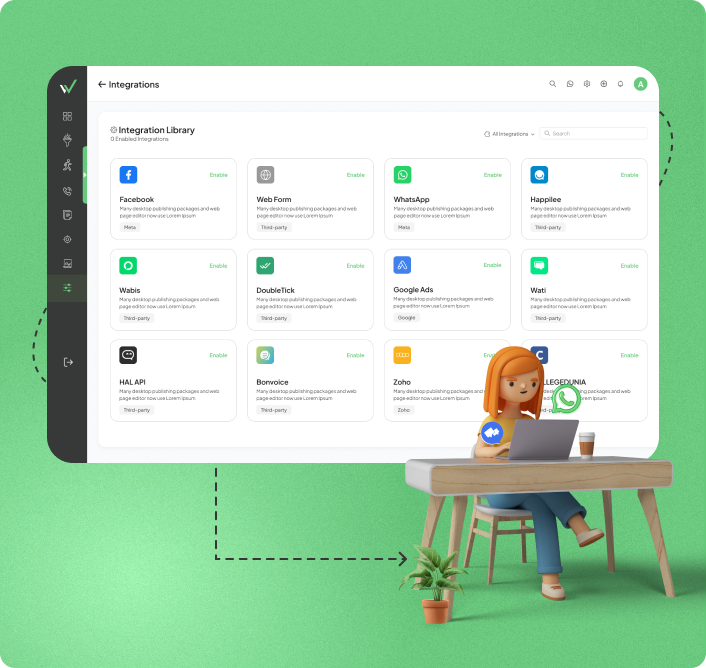
WhatsApp isn't native to Salesforce at all. You'd connect it through a third-party AppExchange app, which means some of your conversation data lives outside the CRM you're actually paying for.

Workpex builds WhatsApp in directly, alongside Facebook and Instagram Ads, so a lead's messages and their record sit in the same place from day one.

It's one of the more common reasons WhatsApp-first sales teams end up rating Workpex as the best Salesforce alternative for how they actually sell.

Customer communication dashboard integrating WhatsApp, Facebook, Instagram, and other social channels
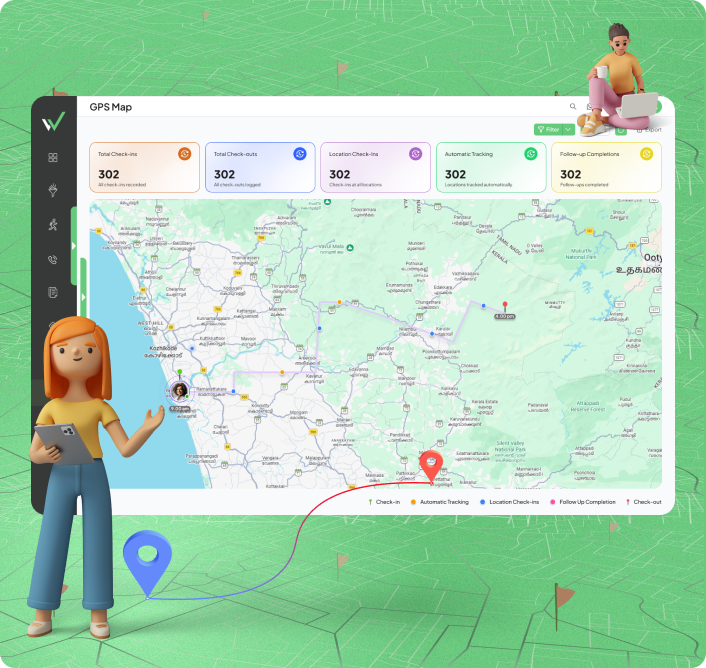
GPS tracking dashboard for field sales teams showing live employee locations, route tracking, and field activity monitoring

GPS and Field Staff Visibility: Bolt-On vs Built In

Core Salesforce (Sales Cloud) has no GPS tracking. To get it, you'd need Salesforce Field Service (formerly Field Service Lightning), a separate product, or a third-party telematics integration bolted on top — either way, that's more cost and more setup than the base CRM covers.

Workpex has this built in already. Open the dashboard, and you can see where your field team actually is, right now.

For businesses with people outside the office more than in it, this tends to be the deciding factor in the Salesforce vs Workpex comparison.

Pricing: What You See vs What You Pay

$25 a user, per month, is the number on Salesforce's Starter Suite pricing page. It's a reasonable number — it's just rarely the final one. Call recording, deeper automation, and marketing tools usually live behind a higher tier or a paid AppExchange add-on.

Workpex keeps calling, WhatsApp, and lead automation inside the base plan, so the quoted price and the real price stay close together.

For anyone hunting for the best alternative to Salesforce CRM on a budget, that gap between quoted and actual cost is usually the number worth checking first.

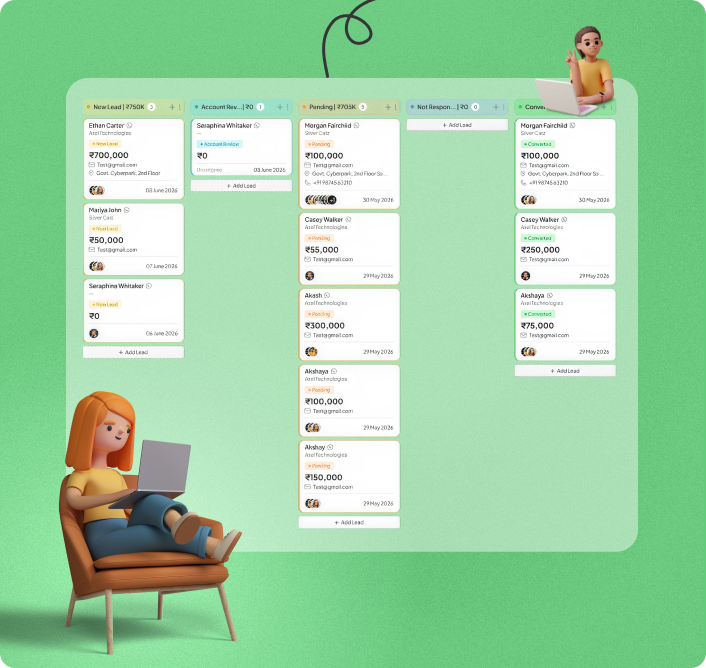
Sales pipeline visualization dashboard showing leads, deals, and conversion stages

What Makes Workpex A Strong Pick Among Salesforce Alternatives

Four things that hold up once the demo's over and your team actually has to run on this CRM every day.

No Admin, No Rollout Plan

A lot of Salesforce implementations start the same way: someone maps the process, builds the fields, sets the rules, and weeks later the CRM finally works the way the team needed it to on day one. Workpex doesn't ask for that runway. Lead routing, follow-up alerts, and call logging are already live before anyone's finished their first week on the platform. For teams comparing Salesforce CRM alternatives, this is usually the difference that shows up fastest.

One Bill Instead of Five

Add up what a fully-featured Salesforce setup actually costs — WhatsApp through one AppExchange app, recording through another, maybe a third for something else — and the monthly total looks nothing like the number on the pricing page. Workpex just builds those three things in.

What About the People Who Aren't at a Desk?

Salesforce's core CRM was never built with field staff in mind. No GPS, no live location, nothing to show a manager where someone actually is mid-shift — you'd need a separate product or a third-party add-on just to get that visibility. Workpex has it on the dashboard from the first login.

The Price You're Quoted Should Be the Price You Pay

Simple idea, rarely how it plays out. Salesforce's entry tier looks affordable right up until a team needs something that lives behind a higher plan or a paid add-on. Workpex keeps calling, WhatsApp, and automation inside the base price, which is a big part of why it keeps coming up as the best Salesforce alternative for teams watching their budget.

Ready To Switch From Salesforce?

Salesforce vs Workpex Pros & Cons: Strengths and Trade-Offs for Sales Teams

Every comparison page has an angle, so here's ours stated plainly: this isn't a case for ignoring Salesforce's strengths. If you're genuinely weighing Salesforce alternatives, or specifically looking at Salesforce CRM alternatives, you need the real trade-offs, not just the parts that favor one side.

Salesforce

Enterprise CRM & Sales Platform

Advantages

Configurable down to the field level — built to match almost any internal process.
AppExchange gives access to a huge range of specialized, purpose-built apps.
Runs reliably across large organizations with multiple departments and complex approval chains.
Widely adopted, which makes hiring experienced admins and finding support easier.
Offers a genuinely useful 30-day trial with no card required upfront.

Disadvantages

Nothing built in for tracking where field staff actually are.
WhatsApp isn't native — it's a paid app bolted on afterward.
Call recording tends to sit behind a higher tier or a separate add-on.
Usually needs a consultant or dedicated admin just to get running properly.
The advertised starting price rarely reflects what a fully set-up team ends up paying.

Workpex

Multi-Channel Sales CRM

Advantages

Records every call automatically, included on all plans, no setup required.
Shows field staff locations live, right from the main dashboard.
Runs WhatsApp as a built-in channel, not a connected third-party tool.
Assigns and flags leads on their own, without rules someone must build first.
Offers a free platform demo, with no commitment required upfront.

Disadvantages

Doesn't offer the same depth of customization as a heavily built-out Salesforce org.
Has a smaller integration library than Salesforce's AppExchange.
Isn't designed for very large enterprises running several departments off one system.

Salesforce fits businesses that want to shape the CRM around themselves; Workpex fits teams that want it to just work — and that's usually why it's called the best Salesforce alternative.

Switching From Salesforce:

A Realistic Timeline

Salesforce implementations tend to grow over time — custom fields, layered workflows, years of activity history, all shaped around how the business evolved. None of that carries over automatically, so switching takes real planning, not just an export and an import. Most teams that make the move do it because ongoing configuration work adds up, and they'd rather spend that time selling. If you're already comparing Salesforce alternatives, this is usually the step people are most cautious about — and, in practice, it tends to go more smoothly than expected.

Less setup. More selling.

1

Get your data out first

Pull leads, contacts, deal history, and activity logs out of Salesforce as CSV exports. Worth cleaning up duplicates here rather than carrying them into the new system.

2

Sit down for a Workpex walkthrough

Someone from the onboarding team goes through your actual sales process with you and builds out your pipeline, lead routing, and integrations accordingly.

3

Load your leads and define how they move

Bring your leads into Workpex, sorted however makes sense — by source, region, deal stage, whoever owns them — and set the rules for assignment, follow-ups, and what counts as inactive.

4

Connect the channels leads actually come from

Wire up Facebook, Instagram, Google Ads, your site forms, and WhatsApp, so new leads start flowing in without anyone manually adding them.

5

Train the team and flip the switch

With everything in place, your team starts selling inside Workpex. Most businesses are fully running within a couple of weeks, sometimes sooner, depending on how much needs to migrate.

Got Questions?

Frequently Asked
Questions

Quick answers to help you understand Workpex and its differences from Salesforce — the questions we hear most from teams comparing Salesforce alternatives.

It depends on what's slowing the team down. If it's implementation time and admin overhead, Workpex is built to be usable without that setup layer. If deep, org-wide customization matters more than speed, Salesforce (or a similarly configurable platform) is still the stronger fit.

Yes. Workpex has dedicated iOS and Android apps, so field teams and reps can manage leads, log calls, and check GPS updates without needing a desktop.

At the entry tier, the per-seat prices are closer than you'd expect. The bigger gap shows up once a Salesforce team needs the features Workpex includes by default — call recording, WhatsApp, and GPS tracking — since those often mean stacking AppExchange add-ons on top of the base license.

They won't carry over automatically — automations are usually specific to how a CRM is built, so this is true of any CRM switch, not just this one. During onboarding, the Workpex team rebuilds your key rules (lead assignment, follow-up reminders, stale-lead alerts) based on how your process works.

Usually less than expected, mainly because Workpex relies on fewer manual configuration steps than a Salesforce org typically does. Most teams adjust within the first couple of weeks, faster if lead assignment rules are set up correctly at onboarding.