Free Tool ROI Calculator

Tired of Zoho's Complexity? Meet Workpex, a Simpler Zoho CRM Alternative

Between the endless modules and add-ons, Zoho CRM can start to feel like more software than your team actually needs.

This comparison walks through where Workpex and Zoho CRM genuinely differ — pricing, features, and day-to-day usability — so you can choose with confidence.

Is This You?

Who Needs a Simpler Alternative to Zoho CRM?

Zoho makes sense when a business wants its CRM, finance, HR, and marketing tools all coming from the same company, even if they're separate connected products. Most sales teams don't. They need leads captured, follow-ups tracked, and their team's activity visible, without paying for modules that have nothing to do with closing deals.

Where this tends to come up in practice:

  • WorkPex tick shade icon 2 A coaching centre juggling admissions enquiries across WhatsApp, calls, and walk-ins, with no single record of who followed up last
  • WorkPex tick shade icon 2 A field sales team in real estate or travel that needs to log visits and update lead status from their phone, not a desktop dashboard
  • WorkPex tick shade icon 2 A growing Indian SME that's outgrown spreadsheets but wants a lighter rollout than a full CRM implementation
  • WorkPex tick shade icon 2 A small business that wants a sales-focused CRM, not a platform that needs a dedicated admin to run
  • WorkPex tick shade icon 2 A founder who'd rather budget one flat monthly bill than track usage across several add-ons

None of this makes Zoho CRM a weak product — it's built for a different kind of buyer. If your day-to-day is about chasing leads and closing them faster, Workpex is worth a look.

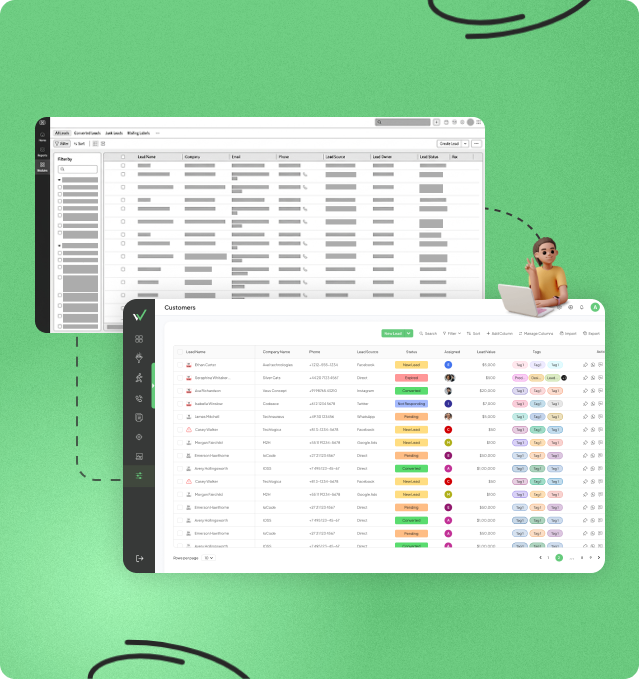
Dashboard displaying lead management and field operations tools in one platform

Workpex vs Zoho CRM: What Actually Changes When You Switch

Pricing pages rarely tell the whole story. Here's what Zoho CRM and Workpex actually include once you look past the plan names.

Category
Zoho CRM
Workpex
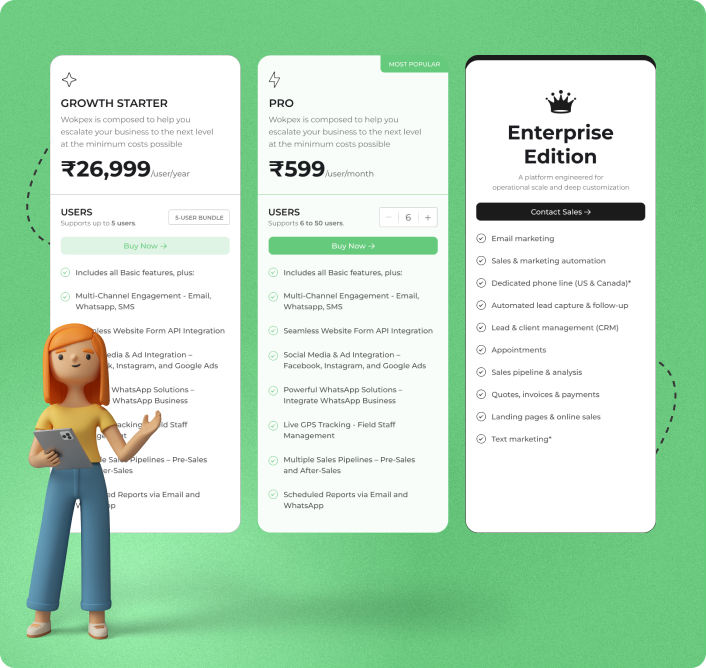
Starting Price $14/user/month (approx. ₹1,324), Standard plan, billed annually ₹599/user/month, all-inclusive
What's Included at Entry Tier Contacts, pipeline, and basic workflow automation; Blueprint process builder and Zia AI sit on Professional and Enterprise respectively Lead assignment, follow-up alerts, and reporting, the same features regardless of plan, with nothing held back for a higher tier
Setup & Onboarding Configuration is self-serve; more complex processes often bring in a partner or consultant Guided setup with the onboarding team, generally without external help
Getting a Full Feature Set Deeper marketing/support functionality means adding Campaigns, Desk, or similar Zoho apps Lead management, communication, and reporting built into the same product, not spread across separate apps
WhatsApp Native WhatsApp reserved for Enterprise and Ultimate plans Native WhatsApp included on every plan, regardless of tier
Field Sales Visibility Not a built-in feature Live GPS tracking included
Storage Storage is capped by plan tier — Standard's allowance is limited, with more room on higher tiers Not metered by storage tier
Support Classic support included; faster response times (Premium/Enterprise support) are paid add-ons on top of any plan, priced as a % of subscription Dedicated support included, not a separate paid tier
Pricing Predictability Costs can grow with users, storage, and paid support add-ons Flat per-user pricing

Zoho or a Simpler Alternative? Which One Fits How You Sell

Stick with Zoho if...

  • WorkPex tick shade icon 2 You're already using other Zoho apps (Books, Desk, Campaigns) and want everything under one account
  • WorkPex tick shade icon 2 Your process benefits from deep, custom-built workflows via Blueprint or Deluge scripting
  • WorkPex tick shade icon 2 You need Zia's AI forecasting and don't mind it sitting on the Enterprise tier
  • WorkPex tick shade icon 2 You're managing more than sales — finance, support, and marketing need the same system
  • WorkPex tick shade icon 2 Your team doesn't rely on field visits or location-based follow-up

Consider Workpex if...

  • WorkPex tick shade icon 2 You want lead alerts and follow-up tracking working from the base plan
  • WorkPex tick shade icon 2 Native WhatsApp and call tracking matter more to you than a wide app marketplace
  • WorkPex tick shade icon 2 You run field sales or delivery teams that need live location visibility
  • WorkPex tick shade icon 2 You're a small business or growing Indian SME that wants a CRM ready to use with minimal setup
  • WorkPex tick shade icon 2 Predictable, all-inclusive pricing matters more than access to a large app ecosystem you may not use

Zoho suits teams building a full business system. A simpler, sales-focused CRM like Workpex suits teams that mainly need to sell.

Zoho vs Workpex Feature Comparison

Lead handling, automation, mobile experience, and pricing are where Zoho CRM and Workpex genuinely part ways — not in a feature checklist, but in how much work each one takes to run the way you need it to.

Who Does the Work: You, or the CRM?

With Zoho CRM, lead follow-up runs on rules your team builds and maintains — Workflow Rules, Blueprint stages, escalation logic. It's flexible, but flexibility means someone owns keeping it accurate as your sales process evolves.

With Workpex, that job sits with the CRM by default. Leads are auto-assigned on arrival, and anything left untouched gets flagged automatically — no rule-building required to get there.

This is often the real difference between Zoho CRM and a sales-focused CRM like Workpex: not what each platform can do, but who has to do the work to make it happen.

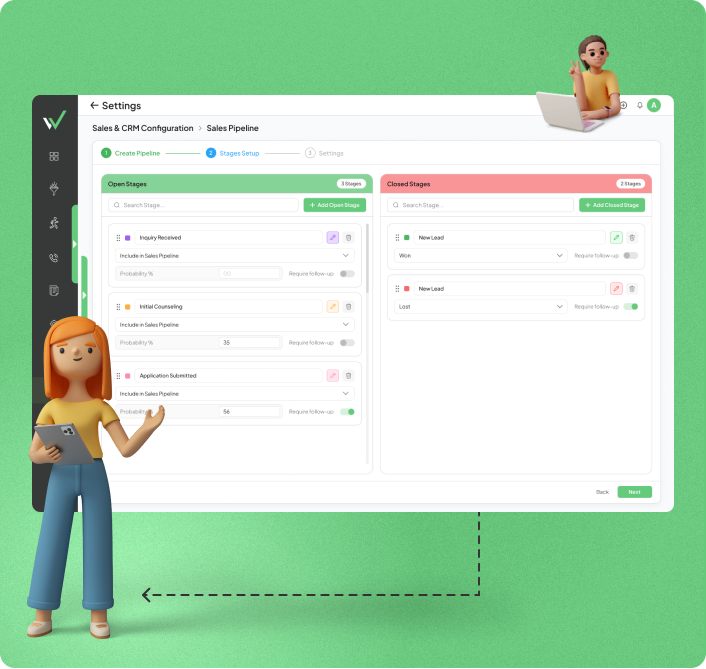
Lead management dashboard displaying leads, customers, sales pipeline, follow-up activities, and customer information in one view
Call tracking and communication dashboard showing call logs, customer interactions, call status, and team communication activities

Where Zoho CRM's Advanced Features Sit

Zoho CRM's entry-level Standard plan covers contacts, a pipeline, and basic workflow automation. Blueprint, its process management tool, sits on Professional, and Zia's AI-driven insights are reserved for Enterprise. That's a reasonable structure for businesses expecting to grow into higher tiers, but it's worth knowing before you pick a plan.

Workpex takes a different approach: lead assignment, stale-lead alerts, and reporting are part of the base plan from day one, so there's less of an upgrade path to plan around.

Before comparing Zoho CRM pricing against any alternative, it's worth checking which features you actually need now versus which ones sit on a tier you'd have to grow into.

Mobile Experience: Core Basics vs Built for the Field

Zoho CRM's mobile app covers core day-to-day actions, updating deals, logging calls, taking notes, working offline with sync.

Workpex's mobile experience is built around fieldwork specifically — status updates, visit logging, and GPS.

For growing Indian SMEs where the phone is the primary device, not a backup to the laptop, that difference in design tends to show up in daily use.

Customer communication dashboard integrating WhatsApp, Facebook, Instagram, and other social channels
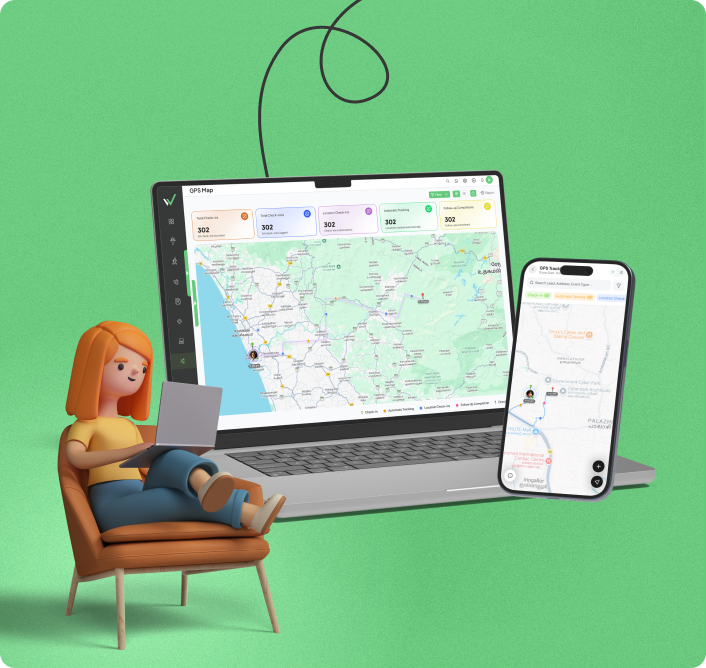
GPS tracking dashboard for field sales teams showing live employee locations, route tracking, and field activity monitoring

What Sits Outside the Sticker Price

Storage is capped by plan, with Standard offering the least room to grow, so a team with a growing database of leads and customer records may need to upgrade tiers for storage alone, not for any new feature.

Workpex's ₹599/user/month isn't metered by storage tier, so a growing lead and customer database doesn't push you toward a plan upgrade on its own.

Before comparing Zoho CRM pricing against any alternative, it's worth checking what happens once your data outgrows the entry plan. Sometimes that's the real reason a CRM starts costing more than the sticker price suggested.

What Makes Workpex a Sales-Focused Alternative to Zoho

No credits to track, no tier to unlock, no second app to open — Workpex keeps lead management, WhatsApp, and support in one place.

Support That's Included, Not Metered

Zoho CRM's faster support tiers (Premium, Enterprise) are paid add-ons priced as a percentage of your subscription, available on any plan but at extra cost. Workpex includes dedicated support without a separate line item.

WhatsApp Without a Tier Restriction

Zoho CRM reserves native WhatsApp for Enterprise and Ultimate plans. Workpex, a simpler CRM alternative to Zoho, includes WhatsApp on every plan, with no tier to unlock.

One Login Instead of a Stack

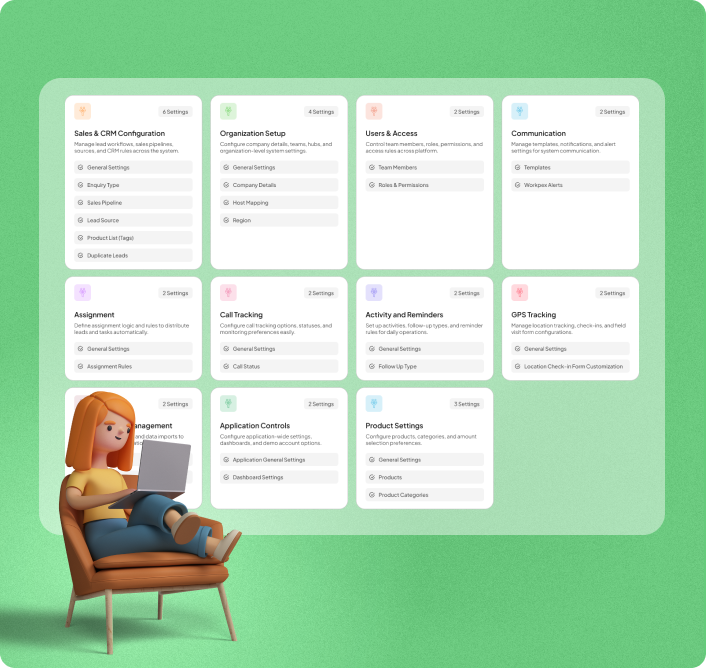
A full Zoho toolkit often means CRM, Campaigns, and Voice working as separate connected products. Workpex handles lead management, messaging, and reporting from a single login.

Your Team Could Be Selling
on Workpex Today

Zoho vs Workpex CRM: An Honest Look at Both Sides

Every comparison page leans toward the CRM that wrote it. Here's a fair account of where Zoho genuinely holds an edge, and where a Zoho CRM alternative like Workpex does instead — so the decision is based on trade-offs, not just a highlight reel.

Zoho CRM

Full Business Suite CRM

Advantages

Runs CRM, finance, support, and marketing through 40+ connected apps
Deluge scripting and Blueprint support highly specific processes
Native WhatsApp as an official Meta partner
Free plan for up to 3 users
A large, established partner and consultant network

Disadvantages

Building custom logic beyond visual tools generally requires Deluge scripting or outside help
Blueprint and Zia sit on Professional and Enterprise respectively
Monthly billing runs roughly 25–35% higher than annual
Faster support is a paid add-on, not a plan feature
Storage on Zoho CRM's Standard plan is limited, and expanding it may require moving to a higher tier

Workpex

Sales-Focused CRM

Advantages

Lead automation, reporting, and calling included from the base plan
Native WhatsApp included on every plan
Mobile app built for field use, including GPS
Dedicated support included on every plan
Flat per-user pricing regardless of billing cycle

Disadvantages

Doesn't extend into finance, HR, or support the way a full suite does
Smaller third-party integration marketplace than Zoho
Newer platform, so its partner network is still growing

Businesses running multiple departments through one system often have good reason to stay with Zoho. Teams that mainly need sales moving faster tend to find a simpler, sales-focused CRM like Workpex a better fit — not a full replacement for everything Zoho offers, but a more focused tool for that specific job.

What Switching From

Zoho CRM Actually Involves

Switching CRMs isn't something most teams look forward to, but for a sales-focused move like this, it's a smaller lift than it sounds — especially once you know what's actually involved.

Same leads. Less to configure. Faster follow-up.

1

Export your data

Leads, deals, contacts, and activity history come out as CSV files. If Campaigns or Desk are part of your setup, export those separately.

2

Walk through onboarding with Workpex

The team reviews your current process and helps set up your pipeline and assignment rules with you.

3

Import and set your rules

Bring data in, then decide lead assignment and follow-up logic once.

4

Connect your lead sources

Facebook, Instagram, Google Ads, your site forms, and WhatsApp link directly into Workpex.

5

Go live

Timelines vary by team size and data complexity; most straightforward sales setups are usable within the first week or two.

Got Questions?

Frequently Asked Questions

Straight answers to what teams actually ask before choosing a Zoho CRM alternative.

Workpex is built specifically for sales. If support and marketing need to run through the same platform too, Zoho's broader suite covers more ground. For small businesses where sales is the priority, Workpex tends to be the more focused option.

Zoho CRM's Standard plan starts at $14/user/month (annual billing), but storage and faster support can sit outside that number. Workpex is ₹599/user/month with support, WhatsApp, and core automation included.

It's built with that segment in mind — flat pricing, WhatsApp as a core channel, and field-sales features like GPS tracking that matter more to SMEs with on-ground teams than to larger enterprises running multi-department Zoho deployments.

Mainly exporting your data, deciding lead assignment and follow-up rules once, and connecting your lead sources. Any automation you built in Zoho CRM's Workflow or Blueprint tools is specific to that system and gets rebuilt fresh during onboarding, not carried over automatically.

Yes, WhatsApp is included on every plan, unlike Zoho CRM's native WhatsApp, which is reserved for Enterprise and Ultimate plans.

Yes — live GPS tracking and mobile status updates are built in, aimed at real estate, delivery, and field sales teams, which isn't part of Zoho CRM's mobile app.

For standard sales workflows, no — lead assignment and follow-up rules are configured with the onboarding team. More complex custom logic on Zoho CRM, by contrast, often needs Deluge scripting or outside help.